

Enterprise Satellite Internet: Use Cases, Architecture, and Vendor Selection
Comprehensive guide to enterprise satellite internet covering use cases, hybrid WAN architecture, performance SLAs, vendor selection criteria, and procurement best practices.
Terrestrial connectivity — fiber, cable, fixed wireless — serves most enterprise sites well. But every organization with geographically distributed operations eventually encounters locations where terrestrial options are unavailable, unreliable, prohibitively expensive, or insufficiently redundant. Mining camps in the Pilbara, offshore platforms in the Gulf of Mexico, retail branches across the Indonesian archipelago, embassy compounds in sub-Saharan Africa, pipeline monitoring stations across the Permian Basin — these are the sites where satellite internet transitions from a "nice to have" backup to a mission-critical primary link.
This guide provides IT managers, enterprise architects, and procurement teams with the technical and commercial framework needed to evaluate, specify, and deploy enterprise satellite internet. It covers the primary use cases, architectural patterns for integrating satellite into an enterprise WAN, performance realities and SLA expectations, vendor selection criteria, and a practical procurement checklist that surfaces the questions most buyers forget to ask.
Scope of this guide — This article focuses on enterprise-grade satellite connectivity for fixed and semi-fixed sites using VSAT, LEO broadband, and hybrid architectures. For maritime-specific deployments, see Maritime Satellite Internet. For a comparison of VSAT and consumer LEO services, see VSAT vs Starlink.
Enterprise Use Cases for Satellite Internet
Enterprise satellite internet is not a single product — it is a category of solutions that spans backup WAN links for Fortune 500 branch offices to primary connectivity for unmanned infrastructure in locations where no terrestrial alternative exists. The following use cases represent the vast majority of enterprise satellite deployments.
Backup and Failover WAN
The most common enterprise satellite deployment is as a secondary or tertiary WAN link that activates automatically when primary terrestrial connectivity fails. Even organizations with reliable fiber or MPLS at most sites recognize that single-path connectivity creates an unacceptable risk for business-critical operations.
A satellite backup link typically provides 5–50 Mbps of capacity — enough to sustain essential applications (email, ERP transactions, VoIP, VPN access) during a terrestrial outage. The satellite link may remain idle during normal operations (cold standby) or carry low-priority traffic continuously and absorb critical traffic during failover (warm standby). SD-WAN platforms from vendors like Cisco Viptela, Fortinet, VMware VeloCloud, and Cradlepoint natively support satellite as a WAN transport, enabling automatic failover with application-aware traffic steering.
The economics are straightforward: the cost of a satellite backup link (typically $200–$1,500/month depending on bandwidth and SLA) is trivial compared to the revenue loss from a multi-hour outage at a revenue-generating site — a bank branch, a retail store during peak season, a hospital, or a trading floor.
Primary WAN for Remote and Unserved Sites
For sites beyond the reach of terrestrial infrastructure, satellite serves as the primary — and often only — WAN link. These deployments are common in:
- Energy and resources: Oil and gas platforms, pipeline compressor stations, mining operations, solar and wind farms. See Satellite Backhaul Explained for how satellite connects remote infrastructure to core networks.
- Government and defense: Embassy and consulate connectivity, forward operating bases, border surveillance installations, disaster response command posts.
- Retail and hospitality: Convenience stores, fuel stations, resort properties, and franchise locations in rural or developing-market geographies.
- Agriculture and forestry: Precision agriculture operations, remote logging camps, and environmental monitoring stations.
Primary satellite sites demand higher SLA rigor than backup deployments. The satellite link must support all site applications — from transactional systems and cloud SaaS to voice communications and security camera feeds — with the latency, throughput, and availability characteristics those applications require.
IoT and Telemetry Backhaul
An increasingly important enterprise use case is satellite backhaul for Internet of Things (IoT) sensors, SCADA systems, and remote telemetry. These deployments are characterized by large numbers of geographically dispersed endpoints, each generating relatively small amounts of data (bytes to kilobytes per transmission) at intervals ranging from seconds to hours.
Traditional VSAT terminals are overengineered and overpriced for simple telemetry. The market has responded with purpose-built IoT satellite solutions:
- Narrowband IoT constellations (Orbcomm, Kinéis, Astrocast) providing global coverage for low-data-rate sensors.
- Direct-to-satellite IoT services from LEO operators, enabling standard IoT devices to communicate without specialized ground infrastructure.
- Shared VSAT hubs where hundreds of low-bandwidth sensor endpoints share a single satellite carrier, reducing per-endpoint cost to $10–$50/month.
Pipeline monitoring, fleet tracking, weather station networks, water level sensors, smart grid endpoints, and agricultural soil monitors are all candidates for satellite IoT backhaul.
Government and Critical Infrastructure
Government agencies and critical infrastructure operators — power utilities, water authorities, transportation networks — have unique requirements that push them toward satellite connectivity even when terrestrial alternatives exist:
- Independence from commercial telecom infrastructure: Satellite provides a communication path that does not rely on local telecom operators, whose networks may be compromised during natural disasters, civil unrest, or targeted attacks.
- Encryption and security certifications: Enterprise satellite services can be configured with government-grade encryption (Type 1, Suite B) and may be delivered over dedicated or virtually dedicated satellite capacity.
- Coverage sovereignty: Some government deployments require that traffic remain within specific satellite footprints and ground station jurisdictions for data sovereignty compliance.
Architecture Fundamentals
Enterprise satellite internet is rarely deployed in isolation. Most architectures integrate satellite alongside terrestrial links in a hybrid WAN design that provides redundancy, load balancing, and application-aware traffic management.
Hybrid WAN Architecture
A modern enterprise hybrid WAN uses SD-WAN to abstract the underlying transport — fiber, MPLS, broadband internet, LTE/5G, and satellite — into a unified overlay network. The SD-WAN controller applies policies that determine which applications use which transport based on real-time path quality metrics (latency, jitter, packet loss) and business priority.
In a typical hybrid WAN deployment with satellite:
- Primary path: Fiber or MPLS carries latency-sensitive applications (VoIP, video conferencing, real-time database transactions).
- Secondary path: Satellite carries bulk data transfer, cloud backup, software updates, and non-real-time applications during normal operation, and absorbs all traffic during primary path failure.
- Load balancing: Some SD-WAN implementations can bond satellite and terrestrial links, distributing traffic across both paths simultaneously to increase aggregate throughput.
The satellite link's higher latency (see Performance Considerations below) means that not all applications perform identically on satellite versus terrestrial. The SD-WAN policy engine must account for this by steering latency-sensitive traffic to terrestrial paths when available and applying WAN optimization techniques (TCP acceleration, data deduplication, compression) to satellite-bound traffic.
For a deeper look at how satellite integrates with terrestrial backhaul, see Satellite Backhaul Explained.
Security: MPLS and VPN over Satellite
Enterprise satellite links carry the same security requirements as any other WAN transport. Two primary approaches provide network-layer security:
MPLS over satellite — Some satellite operators offer managed MPLS services that extend an enterprise's existing MPLS network over satellite. Traffic is encapsulated in MPLS labels at the satellite hub and delivered to the enterprise's PE router as native MPLS, maintaining QoS markings and VPN segmentation across the satellite hop. This approach is transparent to the enterprise's routing and security architecture but is typically more expensive than internet-based alternatives.
IPsec/VPN over satellite — The more common approach uses standard IPsec tunnels between the remote site and the enterprise data center or cloud VPN gateway. The satellite link carries the encrypted tunnel traffic as a standard IP bearer. This works with any satellite service that provides IP connectivity but requires careful attention to:
- MTU and fragmentation: IPsec overhead (50–100 bytes) combined with satellite link MTU constraints can cause fragmentation and performance degradation if not properly configured.
- TCP acceleration compatibility: Many satellite WAN accelerators perform TCP optimization (ACK spoofing, window scaling) that cannot inspect encrypted payload. Solutions include splitting the VPN tunnel at the satellite modem or using transport-mode encryption that leaves TCP headers visible.
- Keepalive and timeout tuning: VPN keepalive intervals and dead peer detection timers must be tuned to accommodate satellite latency to avoid false tunnel failure detection.
Performance Considerations
Satellite internet performance differs from terrestrial connectivity in ways that directly affect application behavior and user experience. Understanding these differences is essential for setting realistic expectations and designing architectures that work within satellite's constraints.
Latency and Application Impact
The most significant performance difference between satellite and terrestrial internet is latency. For a detailed technical comparison across orbit types, see Satellite Latency Comparison.
| Orbit | One-Way Latency | Round-Trip (Typical) | Application Impact |
|---|---|---|---|
| GEO (35,786 km) | ~270 ms | 550–650 ms | Noticeable delay on VoIP; interactive apps sluggish; bulk transfer unaffected |
| MEO (8,000–20,000 km) | 60–150 ms | 125–300 ms | Acceptable for most enterprise apps; VoIP workable with jitter buffer tuning |
| LEO (300–1,200 km) | 5–40 ms | 20–80 ms | Comparable to terrestrial broadband; suitable for all standard enterprise apps |
GEO latency is the primary constraint for real-time applications. VoIP over GEO satellite is usable but requires echo cancellation, jitter buffer tuning, and user training to accommodate the half-second delay. Video conferencing works but feels noticeably delayed. Interactive web applications and remote desktop sessions are functional but slower than users expect from terrestrial connections.
LEO services (Starlink, OneWeb, Amazon Kuiper) deliver latency comparable to terrestrial broadband, making them suitable for all standard enterprise applications. However, LEO services currently offer less predictable latency than GEO (due to satellite handovers and network congestion) and may not yet meet the SLA rigor that enterprise deployments require.
TCP acceleration — GEO satellite links benefit enormously from TCP acceleration, which compensates for the bandwidth-delay product problem. Without acceleration, a standard TCP connection over a 600 ms RTT GEO link is limited to approximately 100 kbps regardless of available bandwidth (assuming a 64 KB TCP window). Satellite WAN accelerators (Comtech, UHP, Hughes) use techniques like local ACK generation, window scaling, and predictive pre-fetching to restore throughput to the link's actual capacity.
SLA Requirements
Enterprise satellite SLAs differ from consumer service guarantees in several important ways:
- Committed Information Rate (CIR): The minimum guaranteed bandwidth, typically expressed as a percentage of the maximum information rate (MIR). Enterprise SLAs should specify CIR explicitly — a "50 Mbps" service with no CIR guarantee may deliver 2 Mbps during peak congestion.
- Availability: Expressed as a percentage of time the link meets its minimum performance specification. Enterprise deployments typically require 99.5%–99.9% availability. The difference matters: 99.5% allows 43.8 hours/year of downtime; 99.9% allows only 8.76 hours/year. See Rain Fade and Satellite Links for how weather affects availability targets.
- Mean Time to Restore (MTTR): How quickly the provider commits to restoring service after a failure. This is often more important than availability percentage for business continuity planning.
- Packet loss and jitter: Critical for VoIP and video applications. Enterprise SLAs should specify maximum packet loss (typically less than 0.1%) and jitter (typically less than 30 ms) under normal operating conditions.
Availability and Redundancy
Enterprise availability requirements often exceed what a single satellite link can guarantee. Common redundancy strategies include:
- Dual-satellite paths: Two VSAT terminals on different satellites (ideally different orbital slots and different operators) provide path diversity against satellite failure, transponder outage, or localized rain fade.
- Satellite plus terrestrial: The hybrid WAN architecture described above, where satellite and terrestrial links provide mutual backup.
- Satellite plus cellular: For sites with marginal LTE/5G coverage, combining satellite with cellular provides cost-effective redundancy with complementary failure modes — cellular fails during tower outages or congestion, satellite fails during severe weather.
Vendor Selection Criteria
The enterprise satellite market includes global operators (Intelsat, SES, Viasat, Eutelsat OneWeb, Hughes, Telesat), regional providers, and resellers/integrators who package capacity from multiple operators. Selecting the right vendor requires evaluating several dimensions beyond headline bandwidth and price.
Coverage and Point of Presence (PoP) Proximity
The satellite must have a beam covering each enterprise site with sufficient EIRP (transmit power density) to support the required data rate with the specified antenna size. Coverage maps from operators show footprint boundaries, but edge-of-beam locations may require larger antennas or accept lower throughput than sites at beam center.
Equally important is the ground network — where does the satellite traffic land, and how does it reach the enterprise's data center or cloud provider? A satellite operator with a teleport and PoP in the same metro area as the enterprise's primary cloud region (e.g., AWS us-east-1 in Northern Virginia) will deliver lower end-to-end latency than one whose nearest ground station is on a different continent. See Satellite Gateways, Teleports, and PoPs for a detailed explanation of ground infrastructure.
Pricing Models
Enterprise satellite pricing follows several models:
| Model | Description | Best For |
|---|---|---|
| Dedicated bandwidth | Fixed CIR allocated exclusively to the customer | High-utilization sites, SLA-critical deployments |
| Shared/contended | Bandwidth pool shared among customers (contention ratio 1:5 to 1:20) | Backup links, bursty traffic patterns |
| Usage-based | Pay per GB transferred | IoT, low-utilization sites, seasonal operations |
| Hybrid plans | Small CIR floor with burstable shared capacity | Most enterprise deployments |
Dedicated bandwidth is the most expensive but provides predictable performance. Shared bandwidth is more affordable but performance degrades during peak usage. Most enterprise deployments use hybrid plans that combine a modest CIR floor (guaranteeing minimum performance) with access to a larger shared pool for burst traffic.
Hidden costs to watch for include:
- Equipment: VSAT terminal purchase or lease ($1,500–$15,000 for the antenna, modem, and installation).
- Installation: Professional installation, site survey, and commissioning ($500–$5,000 depending on location and complexity).
- Overage charges: Fees for exceeding the contracted bandwidth or data cap.
- Minimum contract term: Enterprise contracts typically run 12–36 months with early termination penalties.
- De-installation: Some providers charge for equipment removal and site restoration at contract end.
Support and SLA Fine Print
Enterprise support responsiveness varies dramatically across providers. Key evaluation criteria:
- Network Operations Center (NOC): Is it 24/7/365? Where is it located? What is the escalation path?
- Monitoring: Does the provider offer real-time link monitoring with alerting? Can the enterprise access the monitoring portal directly?
- Spare parts and field service: What is the response time for hardware replacement? Does the provider stock spares in-region, or do parts ship from a central depot?
- SLA exclusions: Read the SLA carefully. Many satellite SLAs exclude "force majeure" events, scheduled maintenance windows, rain fade beyond the design margin, and outages caused by the customer's equipment. A 99.9% SLA with broad exclusion clauses may deliver effective availability well below 99.9%.
Procurement Checklist
The following questions should be addressed during the evaluation and procurement process. Omitting any of these frequently leads to post-deployment disappointment.
Questions to Ask Providers
- What is the CIR, and what happens when the link is congested? — Get the CIR in writing, expressed as a minimum bandwidth guarantee, not just a "typical" or "up to" speed.
- What is the contention ratio on shared plans? — A 1:10 contention ratio means 10 customers share the same pool. During peak hours, each customer may receive only 10% of the advertised speed.
- Where is the nearest teleport, and what is the terrestrial backhaul path to my cloud/data center? — The satellite hop is only part of the end-to-end path. Terrestrial backhaul from the teleport to the internet or enterprise network adds latency and potential failure points.
- What TCP acceleration or WAN optimization is included? — For GEO links, TCP acceleration is not optional — it is essential for acceptable application performance. Confirm whether it is included in the service or requires a separate appliance.
- What is the rain fade margin, and what availability does it support at my location? — Request a site-specific link budget that accounts for the local rain climate. A generic "99.5% availability" claim is meaningless without knowing the rain zone and the fade margin designed into the link.
- What happens at contract end? — Understand equipment ownership, de-installation requirements, and data migration obligations.
- Can you provide references from customers in similar industries and geographies? — Operational experience in the specific region and use case matters. A provider with excellent performance in temperate Europe may struggle with equatorial rain or desert heat.
Pitfalls and Red Flags
- No CIR in the contract: If the provider cannot commit to a minimum bandwidth guarantee, the service is consumer-grade, not enterprise.
- SLA measured on the space segment only: An SLA that covers only the satellite hop but excludes the terrestrial backhaul and the customer's last-mile connection is effectively meaningless for end-to-end performance.
- Single point of failure in ground infrastructure: If all traffic routes through a single teleport with no geographic redundancy, a regional event (earthquake, power grid failure) can take down all sites simultaneously.
- No path to scaling: If the enterprise's bandwidth needs grow, can the provider increase capacity without replacing the antenna or changing the satellite? Growth that requires a forklift upgrade (new antenna, new modem, new contract) is far more expensive and disruptive than in-place scaling.
- Locked equipment: Some providers use proprietary terminals that work only with their network. If the provider's service deteriorates or pricing becomes uncompetitive, switching costs are high because the terminal has no resale value.
Frequently Asked Questions
Is Starlink suitable for enterprise use? Starlink Business provides 40–220 Mbps with 20–40 ms latency, which meets the technical requirements for many enterprise applications. However, as of 2026, Starlink does not offer traditional enterprise SLAs with CIR guarantees, contractual availability targets, or 24/7 NOC support. It works well as a primary link for SMB/SOHO sites or as a backup for enterprise sites, but organizations requiring guaranteed bandwidth and contractual MTTR should evaluate traditional managed VSAT or enterprise LEO services (OneWeb, Telesat Lightspeed) that offer SLA-backed plans.
How does satellite latency affect VoIP and video calls? On GEO satellite (550–650 ms round-trip), VoIP calls have a noticeable half-second delay that requires speaker discipline (pausing before responding to avoid talk-over). Video conferencing works but feels laggy. Most users adapt within a few calls. On LEO satellite (20–80 ms round-trip), VoIP and video are indistinguishable from terrestrial broadband. MEO latency (125–300 ms) falls in between — acceptable for most users.
What bandwidth do I need for a remote office with 20 users? As a rough sizing guide: 20 users performing standard office work (email, web browsing, cloud SaaS, occasional video calls) require 10–25 Mbps download and 3–10 Mbps upload with a CIR of at least 5 Mbps. Sites with heavy video conferencing, large file transfers, or cloud-based ERP/CRM may need 25–50 Mbps. A proper traffic analysis of a representative site is always recommended before finalizing bandwidth requirements.
Can I use my existing SD-WAN with satellite? Yes. All major SD-WAN platforms (Cisco Viptela, Fortinet, VMware VeloCloud, Cradlepoint, Peplink, Meraki) support satellite as a WAN transport. The satellite link appears as a standard Ethernet interface to the SD-WAN appliance. Configure the SD-WAN to account for the satellite link's higher latency and potentially lower bandwidth by adjusting path selection policies, probe intervals, and failover thresholds.
What is the typical cost of enterprise satellite internet? Enterprise satellite costs vary widely by bandwidth, SLA, and geography. As a rough guide for 2026 pricing: a 5 Mbps CIR GEO VSAT service costs $500–$1,500/month, a 25 Mbps shared Ku/Ka service costs $300–$800/month, a Starlink Business plan costs $120–$500/month, and managed LEO enterprise services (OneWeb, Telesat) start at $500–$2,000/month for dedicated capacity. Equipment costs range from $300 (Starlink terminal) to $5,000–$15,000 (enterprise VSAT with professional installation).
How do I ensure business continuity during satellite outages? Deploy redundant connectivity paths: satellite plus terrestrial (fiber, MPLS, broadband), satellite plus cellular (LTE/5G), or dual-satellite (two different operators/orbits). Use SD-WAN for automatic failover and prioritize critical applications. Maintain a runbook that defines manual failover procedures for scenarios where automatic failover does not trigger.
What security certifications should I look for in a satellite provider? For US government and defense: FedRAMP, FIPS 140-2/140-3, IL4/IL5 authorization. For commercial enterprise: SOC 2 Type II, ISO 27001, PCI DSS (for retail/payment data). For EU operations: GDPR compliance certification and data residency guarantees. All enterprise satellite links should support AES-256 encryption at minimum, either natively in the modem or via overlay VPN.
How long does it take to deploy enterprise satellite service? Standard deployments take 2–8 weeks from contract signing to service activation. This includes equipment procurement and shipping (1–3 weeks), site survey and installation scheduling (1–2 weeks), and installation and commissioning (1–2 days on site). Expedited deployments for emergency or disaster recovery can be completed in 24–72 hours using pre-positioned flyaway terminals and pre-configured modems.
Key Takeaways
- Enterprise satellite internet serves four primary use cases: WAN backup/failover, primary connectivity for remote sites, IoT/telemetry backhaul, and government/critical infrastructure — each with distinct technical and commercial requirements.
- Hybrid WAN architecture with SD-WAN integration is the standard approach, combining satellite with terrestrial and cellular links for redundancy and application-aware traffic management.
- Latency varies dramatically by orbit: GEO (550–650 ms RTT) requires TCP acceleration and application tuning; LEO (20–80 ms RTT) is comparable to terrestrial broadband. Choose the orbit type based on application sensitivity and available services at the deployment location.
- SLA specifics matter more than headline numbers: Demand explicit CIR guarantees, understand contention ratios, read exclusion clauses, and verify MTTR commitments before signing a contract.
- Vendor selection should evaluate ground infrastructure proximity, pricing transparency, support responsiveness, and equipment portability — not just satellite coverage and bandwidth.
- Ask the hard procurement questions early: CIR guarantees, contention ratios, rain fade margins, contract exit terms, and scaling options are the areas where enterprise satellite deals most frequently disappoint.
Related Articles
- Satellite Backhaul Explained — How satellite connects remote infrastructure to core networks
- VSAT Network Architecture — Technical architecture of enterprise VSAT systems
- Satellite Latency Comparison — Detailed latency analysis across GEO, MEO, and LEO orbits
- Rain Fade and Satellite Links — Weather impact on availability and link design
- Maritime Satellite Internet — Maritime-specific deployment guide
- VSAT vs Starlink — Consumer LEO versus managed VSAT comparison
- Satellite Gateways, Teleports, and PoPs — Ground infrastructure and PoP selection
Author

Organizational byline for SATCOM Index technical content. A named technical reviewer appears separately only when identity, scope, and permission are verified.
Categories
More Posts
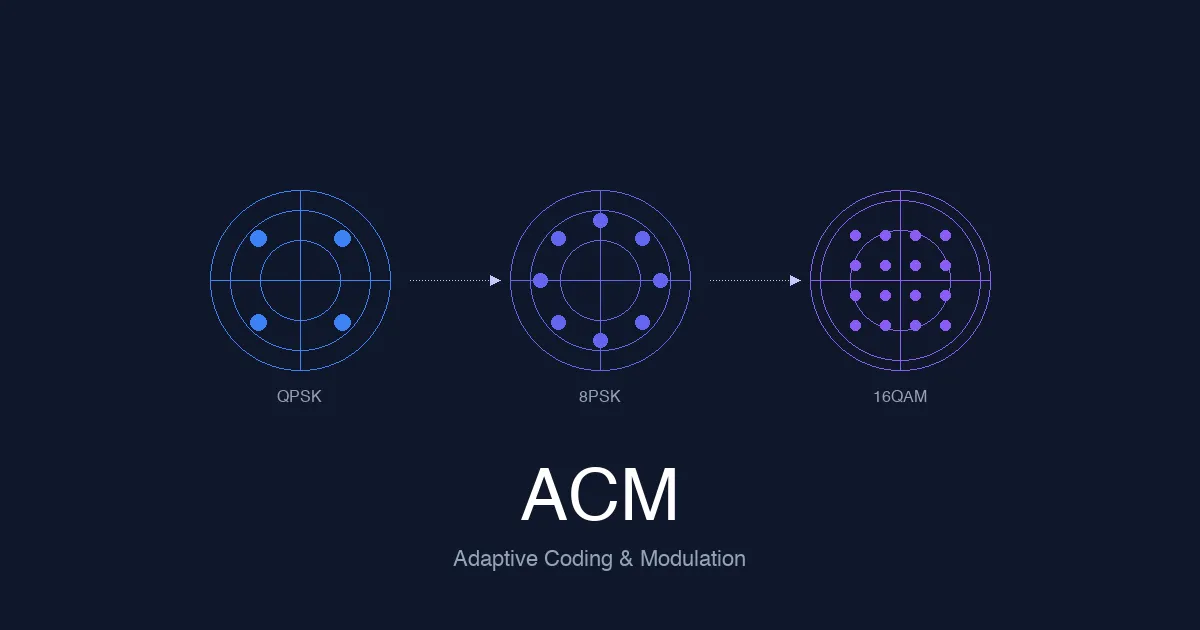
Adaptive Coding and Modulation (ACM) Explained: How Satellite Networks Maintain Link Quality
Engineering guide to adaptive coding and modulation in satellite systems covering signal quality measurement, MODCOD selection algorithms, DVB-S2/S2X ACM capabilities, rain fade response, and ACM design for HTS and LEO networks.
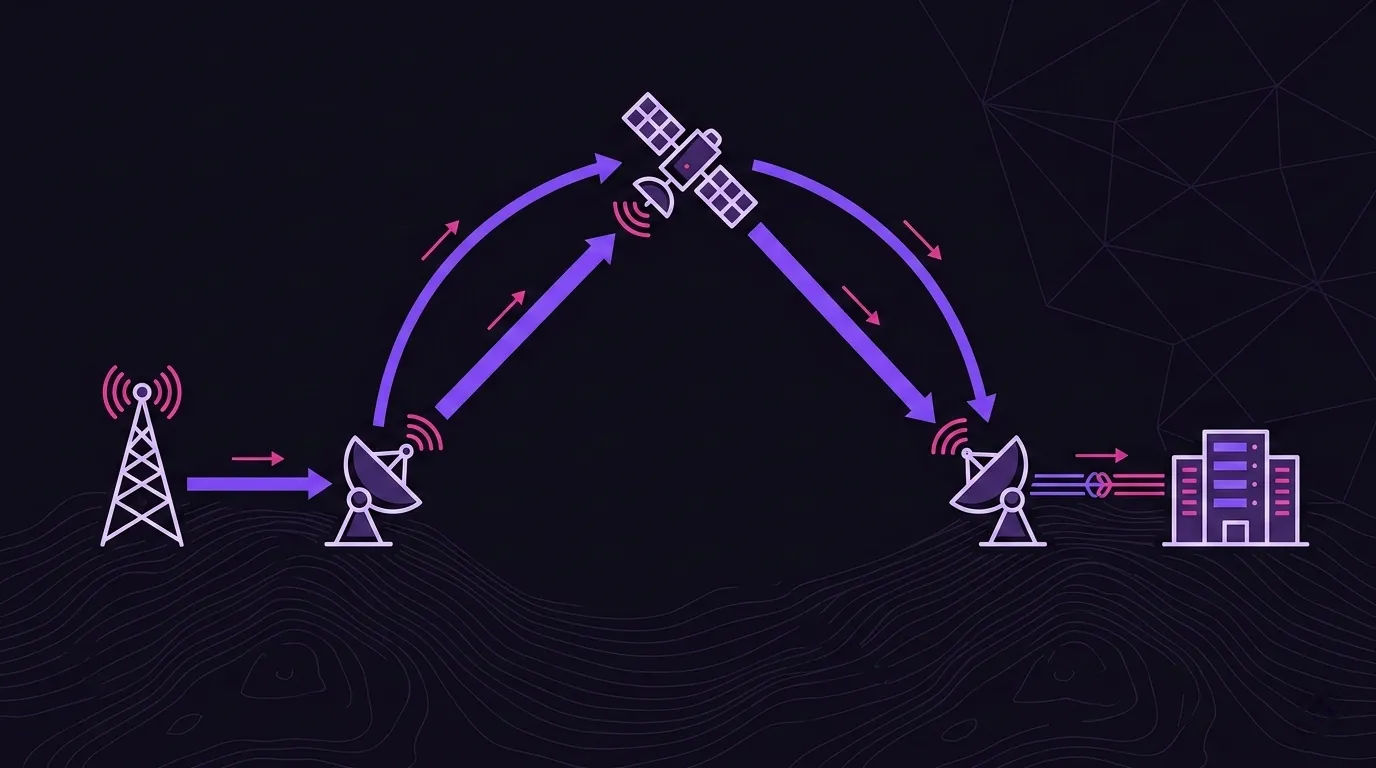
Satellite Backhaul Explained: Architecture, Use Cases, and Design Trade-offs
Technical guide to satellite backhaul covering architecture components, cellular and enterprise use cases, performance trade-offs, and multi-orbit design considerations.

Satellite Network Topology: Star, Mesh, and Hybrid
Compare star, mesh, and hybrid satellite network topologies using GEO hop counts, traffic matrices, fault domains, capacity accounting, and design examples.