
Satellite Return Channel Congestion Explained
Learn why satellite return channel congestion causes upload slowdowns, VoIP issues, and VPN timeouts—and how to detect and fix uplink bottlenecks.
Introduction
Most satellite network troubleshooting focuses on the forward channel—the high-throughput downlink from hub to remote. But when users report sluggish uploads, choppy VoIP calls, or VPN tunnels that keep timing out, the culprit is often hiding on the other side of the link: return channel congestion.
The return channel (also called the uplink or inroute) carries traffic from remote terminals back to the hub. Because it operates under tighter bandwidth constraints and shared access schemes, it's inherently more prone to saturation than the forward path. Understanding why this happens—and how to detect and fix it—is essential for anyone operating or managing a satellite network.
This article explains what return channel congestion is, why it occurs, how it manifests in real networks, and what you can do about it.
What Is Return Channel Congestion?
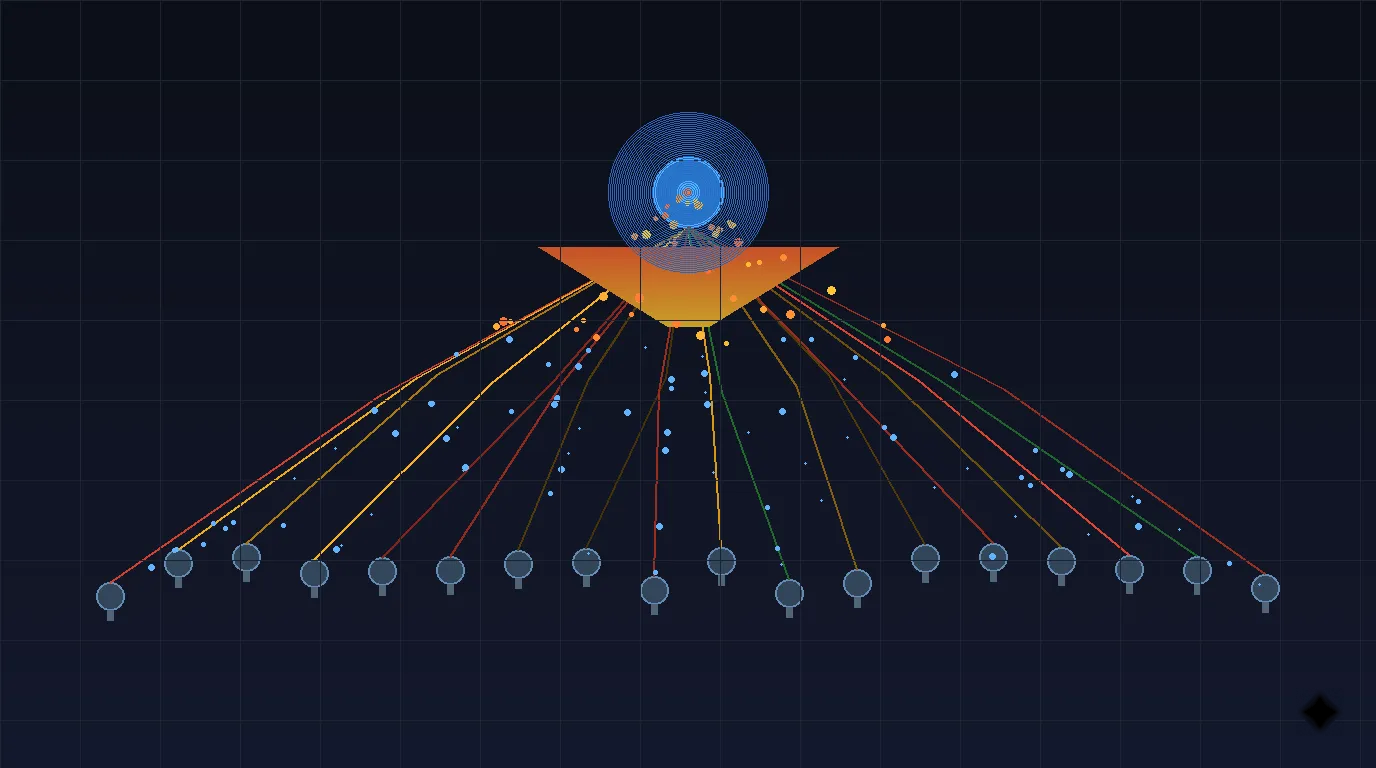
Return channel congestion occurs when the aggregate demand from remote terminals exceeds the available uplink capacity allocated by the hub. In a typical VSAT network, dozens or hundreds of remotes share a limited pool of return bandwidth using a multiple access scheme like TDMA or MF-TDMA.
When total offered traffic surpasses what the return channel can carry, packets queue up at the remote terminal's transmit buffer. If the queue grows beyond its limit, packets are dropped. The result: increased latency, higher jitter, degraded throughput, and application-level failures.
Return channel congestion is not a fault condition. It's a capacity problem—the network is working as designed, but demand has exceeded the provisioned supply. This distinction matters because the fix is operational (capacity planning, QoS, traffic management) rather than technical (replacing hardware or realigning antennas).
Unlike forward channel congestion, which the hub can manage centrally, return congestion is distributed across many remotes competing for the same shared resource. This makes it harder to detect from a single vantage point and more complex to resolve.
Why Return Channel Congestion Happens
Several factors combine to make the return channel particularly susceptible to congestion:
1. Shared Access via TDMA
Most VSAT networks use Time Division Multiple Access (TDMA) or its multi-frequency variant MF-TDMA for the return channel. Remotes request time slots from the hub, transmit during their assigned slots, and wait for the next allocation. This request-grant cycle introduces inherent scheduling overhead and creates contention when many remotes need to transmit simultaneously.
During burst timing windows, only one remote can transmit on a given frequency at a given time. When demand spikes, the scheduler cannot allocate enough slots to satisfy all requests, and queuing begins.
2. Oversubscription by Design
Satellite bandwidth is expensive, so operators design networks with a contention ratio—the ratio of total possible demand to actual provisioned capacity. A 10:1 contention ratio means the network assumes only 1 in 10 remotes will need full bandwidth simultaneously.
This works well under normal statistical multiplexing assumptions. It fails when usage patterns shift—for example, when a software update pushes to all remotes simultaneously, or when a new cloud application increases per-site upload demand.
3. Insufficient CIR Allocation
Each remote is typically provisioned with a Committed Information Rate (CIR) and a Maximum Information Rate (MIR). The CIR guarantees a minimum throughput, while the MIR represents the peak rate available when spare capacity exists.
If the total CIR across all remotes exceeds the return channel capacity, the network is over-committed at the guaranteed level—a serious design flaw. More commonly, CIR is set conservatively but the gap between CIR and MIR is large, meaning remotes that burst above CIR compete aggressively for the shared excess.
4. Bandwidth Request Delays
The round-trip time (RTT) of a geostationary satellite link is approximately 600 ms. When a remote needs more bandwidth, it sends a request to the hub, waits for the allocation response (one RTT), and then transmits. This 600 ms request-grant cycle means the network is always reacting to demand that existed over half a second ago.
During rapidly changing traffic conditions, this delay causes the scheduler to consistently under- or over-allocate, leading to bursts of congestion followed by periods of unused capacity.
5. Asymmetric Capacity Design
Satellite networks are inherently asymmetric. The forward channel might offer 50–100 Mbps, while the total return capacity might be only 5–10 Mbps across all remotes. This 10:1 (or greater) asymmetry reflects traditional usage patterns where downloads dominate. But modern applications increasingly generate significant upstream traffic—cloud sync, video conferencing, IoT telemetry—pushing against this design assumption.
How Return Channel Congestion Appears in Real Networks
Return channel congestion rarely announces itself with a clear alarm. Instead, it manifests through a pattern of symptoms that, taken individually, might suggest other problems:
Upload Speed Degradation
The most obvious symptom. Users notice that file uploads crawl, cloud sync stalls, and email attachments take abnormally long to send. Speed tests show asymmetric results—download speed may be acceptable while upload speed is a fraction of the expected rate.
VoIP Quality Issues
Voice over IP is particularly sensitive to return channel congestion. The upstream voice packets (typically 20–80 kbps per call) face queuing delays, causing:
- Increased latency beyond the already-high satellite baseline
- Jitter spikes as packets experience variable queuing times
- One-way audio where the remote user can hear the far end but their voice doesn't arrive reliably
- Call drops when packet loss exceeds the codec's tolerance
VPN Tunnel Failures
VPN protocols rely on bidirectional communication for tunnel maintenance. When return channel congestion delays or drops keepalive packets, VPN concentrators interpret this as a connection failure and tear down the tunnel. Users experience repeated disconnections and reconnections that correlate with peak usage periods.
VPN timeouts during peak hours are one of the most common—and most misdiagnosed—symptoms of return channel congestion. Network operators often blame the VPN vendor, the remote site's LAN, or even the satellite modem before investigating uplink saturation.
TCP Performance Degradation
TCP relies on acknowledgments (ACKs) flowing from receiver to sender. When return channel congestion delays ACKs, the sender's congestion window shrinks, reducing forward channel throughput. This creates the counterintuitive situation where return channel congestion degrades download speeds even though the forward channel has plenty of capacity.
This is why TCP acceleration alone cannot solve return congestion—the accelerator can optimize ACK handling, but if the return path is truly saturated, ACKs are still delayed or lost.
SCADA and Telemetry Gaps
Remote monitoring systems that send periodic updates via the return channel may show gaps in their data when congestion causes packet loss. For critical infrastructure monitoring, these gaps can mask actual operational problems at the remote site.
Return Channel Congestion vs Other Problems
It's important to distinguish return channel congestion from other conditions that produce similar symptoms:
| Symptom | Return Channel Congestion | Rain Fade | Equipment Fault | Forward Channel Congestion |
|---|---|---|---|---|
| Upload speed reduced | Yes — primary symptom | Yes — both directions affected | Possible — depends on component | No — uploads unaffected |
| Download speed reduced | Yes — via TCP ACK delays | Yes — both directions affected | Possible | Yes — primary symptom |
| Affects all remotes | Partially — shared resource | No — localized weather | No — single site | Yes — all remotes |
| Time pattern | Correlates with usage peaks | Correlates with weather | Constant until fixed | Correlates with content delivery |
| Signal quality (Es/No) | Normal | Degraded | May be degraded | Normal |
| Modem Tx power | Normal | May increase (AUPC) | May be abnormal | Normal |
| Recovery | Automatic as load decreases | Automatic as weather clears | Requires intervention | Automatic as delivery completes |
Key diagnostic clue: If signal quality metrics (Es/No, C/N) are normal but upload performance is poor during peak hours, return channel congestion is the most likely cause. Rain fade and equipment faults both degrade signal quality measurably.
What Types of Traffic Trigger Return Channel Congestion Most
Not all traffic contributes equally to return channel saturation. Understanding which applications drive the most upstream demand helps prioritize mitigation:
High-Impact Traffic
- Cloud backup and sync (OneDrive, Google Drive, Dropbox): Continuous upstream file synchronization can consume significant return bandwidth, especially when syncing large files or many small changes
- Video conferencing (Zoom, Teams, Meet): Each participant generates 500 kbps–2 Mbps upstream for their video stream, plus audio
- VoIP calls: While individually modest (20–80 kbps each), dozens of concurrent calls aggregate quickly
- IoT and telemetry: High-frequency sensor data from many devices compounds rapidly
Moderate-Impact Traffic
- Web browsing: HTTP requests and form submissions generate modest upstream traffic, but many concurrent users add up
- Email: Sending attachments creates bursty upstream demand
- DNS queries: Small but frequent, contributing to scheduling overhead
Low-Impact but Problematic Traffic
- TCP ACKs: Individually tiny, but essential for forward channel performance. When congested, they disproportionately impact downloads
- Keepalive packets: Small but timing-sensitive. Delays cause tunnel/session drops
- SNMP polling responses: Regular, small, but operationally critical
Engineering Mitigation Strategies
Addressing return channel congestion requires a combination of capacity planning, traffic management, and network design:
1. Right-Size the Return Channel
The most direct solution is to allocate more return bandwidth. This may involve:
- Adding return carriers (more frequencies for MF-TDMA)
- Increasing symbol rates on existing carriers
- Upgrading to higher-order modulation schemes via ACM
- Redistributing capacity from underutilized beam coverage areas
2. Implement Return Channel QoS
Apply Quality of Service policies specifically tuned for the return path:
- Priority queuing: Ensure VoIP, VPN keepalives, and TCP ACKs get priority access to return bandwidth
- Rate limiting: Cap per-remote upload rates to prevent any single site from monopolizing the shared resource
- Traffic shaping: Smooth bursty traffic to reduce peak-to-average ratio
3. Optimize CIR/MIR Allocation
Review and adjust bandwidth profiles:
- Ensure total CIR does not exceed return channel capacity
- Set MIR caps that reflect actual available excess capacity
- Consider dynamic CIR allocation that adjusts based on time-of-day usage patterns
4. Deploy Application-Level Controls
- Block or schedule bulk uploads: Force cloud sync and backups to off-peak hours
- Compress upstream traffic: Enable application-level or WAN optimization compression
- Limit video conferencing quality: Cap upstream video resolution to reduce per-session bandwidth
5. Upgrade Access Scheme Efficiency
- Spread-spectrum return channels: Some modern platforms use techniques that are more efficient under high contention
- Group QoS: Assign bandwidth pools to groups of remotes with similar traffic profiles
- Adaptive return carriers: Dynamically resize return carriers based on real-time demand
6. Redistribute Remote Sites
If congestion is localized to a specific return carrier group:
- Rebalance remotes across available return carriers
- Move high-demand sites to dedicated return capacity
- Consider hub redundancy configurations that also expand return capacity
Troubleshooting Approach
When you suspect return channel congestion, follow this systematic approach:
Step 1: Confirm the Symptom Pattern
- Are uploads affected more than downloads?
- Do problems correlate with time of day (business hours, specific shifts)?
- Are multiple remote sites affected simultaneously?
- Are signal quality metrics (Es/No, BER) normal?
Step 2: Check Return Channel Utilization
- Monitor the return carrier group utilization at the hub
- Look for sustained utilization above 80%—this is the typical threshold where congestion effects begin
- Check bandwidth request rejection rates from the TDMA scheduler
Step 3: Identify the Contributors
- Sort remotes by return bandwidth consumption
- Identify any single remote consuming disproportionate bandwidth
- Check for new applications or usage pattern changes at high-consuming sites
Step 4: Verify CIR Commitments
- Calculate total allocated CIR across all remotes on the congested return carrier
- Compare against actual return carrier capacity
- If total CIR exceeds capacity, the network is over-committed and needs redesign
Step 5: Implement and Monitor
- Apply the most appropriate mitigation from the strategies above
- Monitor return utilization and application performance after changes
- Document the baseline for future comparison
Common Mistakes
Operators often make these errors when dealing with return channel congestion:
-
Blaming the remote site: Return congestion is a shared-resource problem. If one site has slow uploads during peak hours but fine performance at 3 AM, the issue is almost certainly congestion, not a site problem.
-
Adding forward bandwidth instead of return: When users complain about "slow internet," the instinct is to increase download speed. But if the root cause is return congestion (which also degrades downloads via TCP ACK delays), adding forward capacity won't help.
-
Ignoring TCP ACK impact: Operators who understand that uploads are congested may not realize this also degrades download performance. The TCP ACK mechanism means return congestion has outsized impact on overall network experience.
-
Over-relying on TCP acceleration: While satellite TCP acceleration helps optimize ACK handling, it cannot create return bandwidth that doesn't exist. If the return channel is truly saturated, acceleration provides diminishing returns.
-
Setting CIR too high: Generous CIR allocations feel customer-friendly but can over-commit the return channel. When every remote is guaranteed bandwidth that collectively exceeds capacity, the guarantees become meaningless.
-
Not monitoring return utilization separately: Many monitoring dashboards focus on forward channel metrics. Without dedicated return channel monitoring, congestion can persist undetected for weeks.
-
Treating all congestion the same: Return congestion requires different mitigation than forward congestion. The shared TDMA access scheme, the request-grant cycle, and the asymmetric capacity design all require return-specific solutions.
Frequently Asked Questions
How do I tell if my problem is return congestion or rain fade?
Check signal quality metrics. Rain fade degrades Es/No and may trigger Adaptive Coding and Modulation (ACM) transitions. Return congestion shows normal signal quality but poor upload throughput. Also check weather conditions and whether the problem affects a single site (likely fade) or multiple sites (likely congestion).
Can return channel congestion affect download speeds?
Yes. TCP requires acknowledgments (ACKs) to flow from receiver to sender. When return congestion delays ACKs, the TCP sender reduces its transmission rate, degrading download throughput even though the forward channel has available capacity.
What return channel utilization level causes problems?
Congestion effects typically become noticeable above 70–80% sustained utilization. Brief spikes to 90–100% are normal and handled by buffering, but sustained high utilization causes queuing delays that degrade real-time applications.
Does increasing CIR for one remote fix their congestion problem?
Only if total return capacity supports it. Increasing one remote's CIR without adding capacity simply takes guaranteed bandwidth from the shared pool, potentially worsening congestion for other sites. The total CIR across all remotes must remain below the return channel capacity.
How does contention ratio relate to return congestion?
The contention ratio defines how much the return channel is oversubscribed. A higher ratio (e.g., 20:1) means more remotes share less bandwidth, increasing congestion risk. A lower ratio (e.g., 5:1) provides more headroom but costs more per site.
Can QoS completely solve return congestion?
QoS can prioritize critical traffic during congestion, ensuring VoIP and VPN keepalives are protected. But QoS cannot create bandwidth—it only determines which traffic suffers first when capacity is exceeded. If overall demand consistently exceeds supply, capacity must be added.
Why does my VPN disconnect during business hours but work fine at night?
This is a classic return congestion symptom. During business hours, aggregate upstream demand from all remotes exceeds return capacity. VPN keepalive packets are delayed or dropped, causing the tunnel to time out. At night, demand drops below capacity and the return channel operates normally.
Should I use SCPC instead of TDMA for the return channel?
SCPC (Single Channel Per Carrier) gives each remote a dedicated return carrier, eliminating contention. However, it's bandwidth-inefficient because capacity is reserved even when a remote has nothing to send. SCPC makes sense for high-throughput sites with consistent upstream demand; TDMA remains more efficient for networks with many sites that have bursty, intermittent traffic. See the full comparison in our return link explained article.
Key Takeaways
-
Return channel congestion occurs when aggregate upstream demand from remote terminals exceeds the shared return channel capacity—it's a capacity problem, not an equipment fault.
-
The root causes are fundamental to satellite network design: shared TDMA access, intentional oversubscription, asymmetric capacity allocation, and the 600 ms request-grant cycle.
-
Symptoms are deceptive: slow uploads are the obvious sign, but return congestion also degrades downloads (via TCP ACK delays), breaks VPN tunnels, and disrupts VoIP—often leading to misdiagnosis.
-
Diagnosis requires return-specific monitoring: check return carrier utilization at the hub, verify signal quality is normal (ruling out fade and hardware faults), and correlate problems with usage patterns.
-
Mitigation combines multiple approaches: right-sizing return capacity, implementing return-specific QoS, optimizing CIR/MIR allocations, and controlling upstream-heavy applications.
-
The most common mistake is treating return congestion like a forward channel or single-site problem. It requires understanding the shared, contention-based nature of the return path and addressing it at the network design level.
Author

Organizational byline for SATCOM Index technical content. A named technical reviewer appears separately only when identity, scope, and permission are verified.
Categories
More Posts

Satellite Glossary: G-L
Satellite communication terminology and definitions from G to L.
Satellite Interference Explained: Causes, Types, and Mitigation in SATCOM Systems
Engineering guide to satellite interference covering adjacent satellite interference, cross-polarization, co-channel, and terrestrial interference types with detection and mitigation techniques.

Satellite Glossary: A-F
Satellite communication terminology and definitions from A to F.