
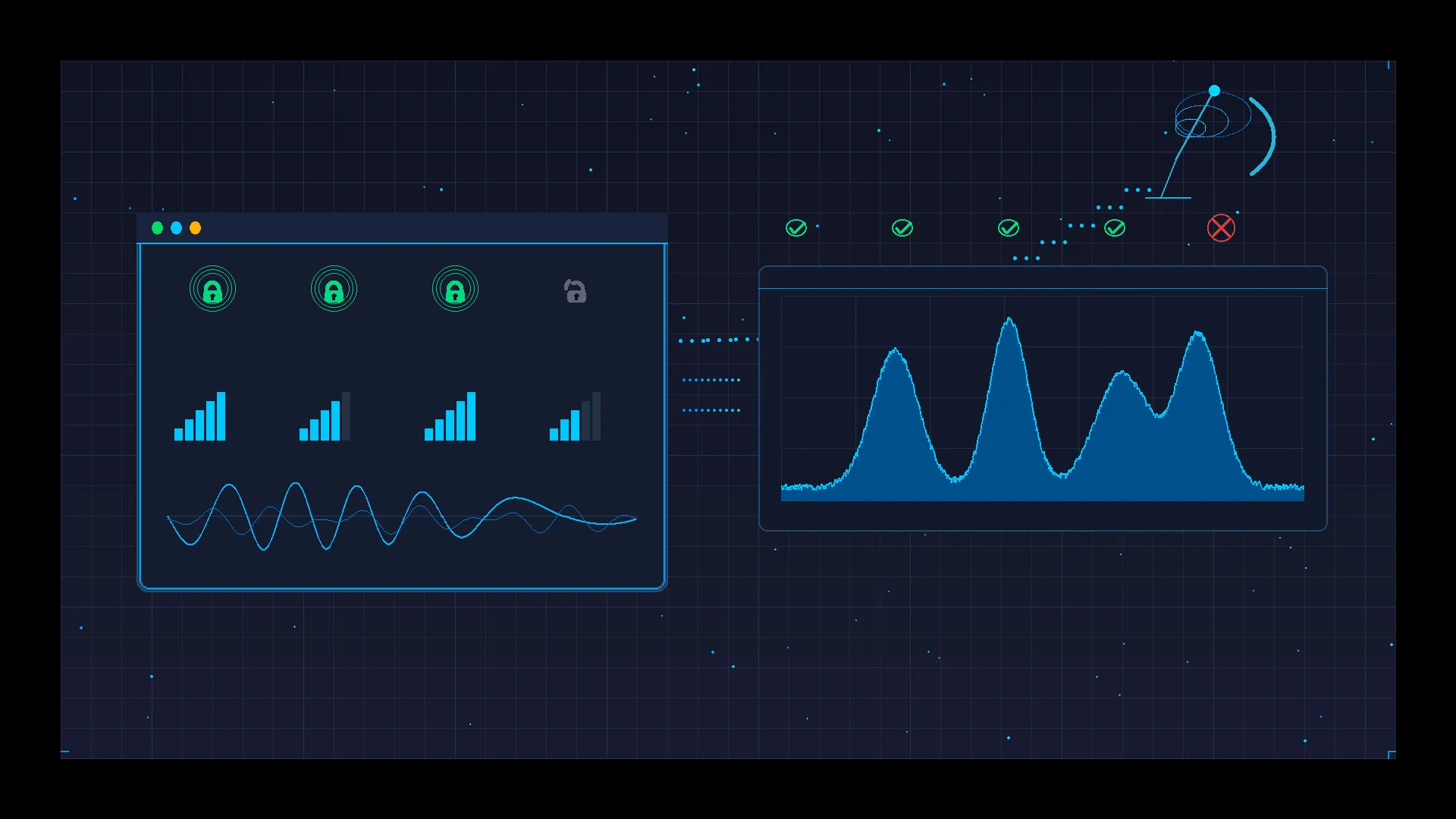
Satellite Modem Lock Explained: What It Means When a Carrier Is Acquired and Stable
Learn what satellite modem lock means, why carrier acquisition matters for VSAT operations, and how to diagnose and restore lock during installation and troubleshooting.
Every satellite technician has stared at a modem's front panel, waiting for one specific indicator to change state: lock. Whether the display reads "Rx Lock," "Carrier Acquired," or simply shows a green LED where an amber one used to be, the meaning is the same — the modem has found the carrier signal from the satellite, synchronized to it, and is ready to begin processing data. Until lock is achieved, nothing else works. No IP address is assigned, no traffic flows, no application connects. Lock is the gate through which every VSAT service must pass.
Despite its importance, modem lock is widely misunderstood. Field technicians sometimes treat it as a binary indicator of link health — locked means working, unlocked means broken. In reality, the relationship between lock and service quality is far more nuanced. A modem can be locked and still deliver terrible performance. A modem can lose lock intermittently due to causes that have nothing to do with the antenna or the dish alignment. And the process of achieving lock during installation involves a chain of conditions that all must be satisfied simultaneously.
This article explains what modem lock actually means, what conditions must be met for it to occur, why it can be lost, and how to interpret lock status during both installation and ongoing operations. Whether you are commissioning a new remote terminal or diagnosing a service complaint, understanding lock will make you faster and more accurate.
Key terms used in this article — For complete definitions, see the Glossary M–R.
- Modem Lock (Rx Lock): The state where a satellite modem has acquired and synchronized to a received carrier signal, enabling demodulation and data recovery.
- Carrier Acquisition: The process by which a modem detects a carrier signal, matches its frequency and symbol rate, and achieves synchronization.
- C/N₀ (Carrier-to-Noise-Density Ratio): A measure of received signal quality expressed in dBHz, indicating the carrier power relative to the noise density.
- Symbol Rate: The rate at which modulation symbols are transmitted, measured in symbols per second (baud).
- LO (Local Oscillator): The oscillator in the LNB or BUC that converts between RF frequency and the intermediate frequency (IF) used by the modem.
What Is Modem Lock?
Modem lock is the state where the satellite modem's receiver has successfully detected, acquired, and synchronized to a carrier signal from the satellite. In technical terms, lock means the modem has completed several internal processes: it has found energy at the expected frequency, matched the symbol rate, synchronized its internal clock to the incoming symbol timing, and locked onto the carrier phase. Once all of these synchronization loops are stable, the modem declares "lock" and begins demodulating the incoming signal into usable data.
The process is analogous to tuning a radio. The modem sweeps or steps through a frequency range looking for a carrier that matches its configured parameters — center frequency, symbol rate, and modulation type. When it finds a match, it begins the synchronization sequence. First comes frequency acquisition, where the modem eliminates any frequency offset between its local reference and the incoming carrier. Then comes timing recovery, where the modem aligns its sampling clock to the symbol boundaries of the incoming signal. Finally, the modem achieves phase lock, where it tracks the phase of the carrier precisely enough to demodulate the modulation symbols correctly.
Lock must occur before any higher-layer function can proceed. Without lock, the modem cannot decode forward error correction (FEC) frames, cannot extract IP packets, cannot respond to hub polling or network registration requests, and cannot pass any traffic. This is why lock is the first thing every technician checks — it is the foundation upon which everything else depends.
However, lock alone does not guarantee service. Lock means the modem can receive and demodulate the carrier. It does not mean the signal quality is good enough for error-free operation, the modem has registered with the network management system, or the return channel is working. Lock is a necessary condition for service, but it is not a sufficient one.
For a deeper understanding of the signal quality metrics that determine whether a locked carrier is actually usable, see C/N, C/N₀, and Eb/N₀ in Satellite Explained.
Types of Lock in Practice
When technicians and engineers refer to "modem lock," they may be describing different stages of the modem's operational state. Understanding the distinction between these stages prevents confusion during installation and troubleshooting.
Receive Lock (Rx Lock)
This is the most fundamental form of lock. The modem has acquired the forward carrier — the signal transmitted from the hub to the remote terminal — and is demodulating it successfully. Receive lock means the modem can decode the incoming data stream. On most modems, this is indicated by a dedicated LED, a status field on the web interface, or an SNMP parameter.
Receive lock confirms that the antenna is pointed at the correct satellite, the LNB is functioning, the IF cabling is intact, the modem is configured with the correct receive frequency and symbol rate, and the signal quality is above the minimum threshold for demodulation. It does not confirm that the modem has been accepted onto the network or that the transmit path is working.
Carrier Acquisition
Carrier acquisition is the process that leads to receive lock. Some modem interfaces distinguish between "acquiring" and "locked" states. During acquisition, the modem has detected energy at the expected frequency and is attempting to synchronize. This state may last a fraction of a second in good conditions or several seconds when the signal is weak or the frequency offset is large. If the modem remains in "acquiring" state without achieving lock, it usually indicates that one or more parameters are close but not correct — a common issue during initial installation when the LO frequency or symbol rate may be slightly misconfigured.
Network Registration
After achieving receive lock, many VSAT platforms require the remote terminal to complete a registration process with the hub. During registration, the modem identifies itself to the network management system, receives its IP configuration, timing references, and transmit parameters, and is authorized to begin transmitting. A modem can be in receive lock but fail registration — for example, if the terminal's serial number is not provisioned in the hub, if the modem's software version is incompatible, or if the return channel cannot be established.
Locked does not mean fully operational. A modem showing receive lock has only completed the first stage. Until network registration succeeds and the return channel is established, the terminal cannot pass user traffic. During troubleshooting, always verify registration status in addition to lock status.
Transmit Lock / Return Channel Lock
On platforms that use a dedicated return carrier (such as SCPC return or MF-TDMA), the modem must also achieve lock on the transmit side — meaning the hub must successfully receive and demodulate the remote terminal's transmission. Some platforms report this as a separate "Tx Lock" or "Return Channel Active" indicator. Without return channel lock, the terminal can receive data but cannot send, which effectively prevents any interactive application from working.
What a Modem Needs to Achieve Lock
Modem lock is not a single condition but the result of several requirements being met simultaneously. If any one of these requirements is not satisfied, lock will not occur.
Correct Frequency Configuration
The modem must be configured with the correct receive frequency. In most VSAT systems, this means the L-band intermediate frequency (IF) that corresponds to the satellite downlink frequency after conversion by the LNB. If the configured frequency does not match the actual carrier frequency — even by a few hundred kilohertz — the modem will not find the carrier. Frequency misconfiguration is one of the most common causes of failure to achieve lock during installation.
Frequency errors often originate from incorrect LO (Local Oscillator) settings. The modem calculates the expected IF based on the RF frequency and the LO frequency. If the wrong LO value is entered — for example, using a Universal LNB's high-band LO when the carrier is on the low band — the modem will search at entirely the wrong frequency. For a detailed explanation of LO frequency calculations and common errors, see Satellite LO Frequency Explained.
Correct Symbol Rate
The modem must know the symbol rate of the incoming carrier. Symbol rate determines the bandwidth of the carrier and the timing of the demodulation process. If the configured symbol rate does not match the actual carrier, the modem cannot synchronize its timing recovery loop. Even a small mismatch — entering 27.5 Msps when the carrier is 27.0 Msps — will prevent lock.
Adequate Signal Quality
The received signal must be strong enough and clean enough for the modem to detect and synchronize. In practical terms, the carrier-to-noise ratio (C/N) must exceed the minimum threshold for the modulation and coding scheme being used. For a DVB-S2 carrier using QPSK with rate 1/2 coding, this threshold is approximately 1–2 dB C/N. For higher-order modulations, the threshold is correspondingly higher.
If the signal is present but below the lock threshold, the modem will detect energy but fail to achieve stable synchronization. This commonly occurs when the antenna is slightly mispointed, when weather attenuation is severe, or when the receive chain has excessive loss (long cable runs, damaged connectors, degraded LNB).
Stable Receive Chain
The physical receive chain — antenna, feed, LNB, cabling, and connectors — must deliver a stable signal to the modem. Intermittent connections, water ingress in connectors, or a failing LNB can produce a signal that fluctuates in level or phase, preventing the modem from maintaining stable lock. A marginal receive chain may allow lock in calm conditions but lose it during wind, temperature changes, or vibration.
Correct Antenna Pointing and Polarization
The antenna must be pointed at the correct satellite with sufficient accuracy to receive the carrier above the lock threshold. For a typical Ku-band VSAT with a 1.2 m antenna, pointing accuracy of 0.1–0.2 degrees is required to achieve acceptable signal levels. Polarization must also be set correctly — cross-polarized reception will reduce the received signal by 20 dB or more, which is usually enough to prevent lock entirely.
For a comprehensive guide to the pointing and commissioning process, see Remote Terminal Commissioning Guide.
Why Modem Lock Can Be Lost
A modem that has achieved lock can lose it if the conditions that enabled lock deteriorate below the minimum thresholds. Lock loss is a hard event — the modem goes from demodulating data to not demodulating data — and it immediately interrupts all traffic on the link. Understanding the causes of lock loss is essential for diagnosing service interruptions.
Weather Fade
Rain, heavy cloud cover, and wet snow attenuate satellite signals. If the attenuation exceeds the available fade margin, the C/N drops below the lock threshold and the modem loses lock. Ku-band and Ka-band systems are particularly susceptible. The severity and duration of lock loss depends on the intensity and duration of the weather event, the available fade margin in the link budget, and whether the system uses ACM (Adaptive Coding and Modulation) to extend the operational range before lock is lost.
For a detailed treatment of fade margin and its role in maintaining lock, see Satellite Fade Margin Explained.
Frequency Misconfiguration
If the modem's frequency configuration is changed — intentionally or accidentally — or if the LNB's local oscillator drifts beyond the modem's acquisition range, the modem will lose lock. LO drift is uncommon in modern LNBs under normal conditions but can occur with aging equipment, extreme temperature variations, or low-quality components. Some platforms periodically update the remote modem's receive parameters from the hub; if a parameter update introduces an error, lock can be lost across all affected terminals simultaneously.
Weak or Marginal Signal
A link operating with minimal margin — perhaps due to a slightly undersized antenna, marginal pointing, or a degrading LNB — is vulnerable to lock loss from minor perturbations. A light rain shower that would be invisible to a well-engineered link can push a marginal one below the lock threshold. Wind-induced antenna movement, thermal expansion of the mount, or gradual accumulation of debris on the reflector can all erode margin over time until lock becomes intermittent.
Interference
Adjacent satellite interference (ASI), cross-polarization interference, or terrestrial interference raise the noise floor of the received signal, reducing the effective C/N. If interference pushes the C/N below the lock threshold, the modem loses lock. Interference can be continuous (a misconfigured adjacent satellite terminal) or intermittent (radar, terrestrial microwave, or intermodulation products that appear only under certain conditions). For a comprehensive treatment of interference sources and diagnosis, see Satellite Interference Explained.
Equipment Drift and Degradation
Electronic components change characteristics over time. An LNB may develop higher noise figure, reducing C/N. A BUC may lose output power, affecting the return channel even if the forward lock is maintained. Coaxial cables develop increased loss as connectors corrode or water enters the cable jacket. These changes are gradual, but each reduces the available margin until a threshold is crossed and lock is lost — often intermittently at first, then more frequently as degradation continues.
Lock vs Real Service Quality
One of the most important — and most commonly misunderstood — aspects of modem lock is the relationship between lock status and actual service quality. Many operators and end users assume that "locked" means "working." In reality, a modem can be solidly locked on a carrier while delivering service that is effectively unusable.
Lock means the modem can demodulate the incoming carrier. It does not guarantee that the demodulated data is error-free, that the throughput meets requirements, or that the return channel is functioning. A carrier with a C/N of 4 dB may be well above the lock threshold for QPSK 1/2, but if the service plan requires 8PSK 3/4 to deliver the contracted throughput, the terminal will be locked at a much lower modulation and coding — delivering a fraction of the expected data rate.
The following table illustrates how lock status relates to operational performance across several metrics:
| Metric | Locked and Healthy | Locked but Degraded | Unlocked |
|---|---|---|---|
| C/N₀ | Within spec (e.g., 75+ dBHz) | Below nominal but above lock threshold | Below lock threshold |
| BER (post-FEC) | < 10⁻⁸ (error-free) | 10⁻⁶ to 10⁻⁴ (errors reaching IP layer) | N/A — no demodulation |
| Packet Loss | < 0.1% | 1–10%+ | 100% |
| Throughput | Meets CIR/MIR | Reduced (ACM downshift or errors) | Zero |
| Application Impact | Normal operation | VoIP choppy, video freezing, web timeouts | No connectivity |
| Modem Status LED | Green / Locked | Green / Locked (same indication) | Red / Unlocked |
The critical observation is the "Locked but Degraded" column. The modem reports the same lock status as a healthy link, yet service quality is severely impaired. This is why monitoring only lock status gives an incomplete picture of service health. Operators must also monitor C/N₀, BER and packet loss, throughput relative to CIR, and latency and jitter.
A locked-but-degraded state is operationally similar to a satellite network brownout — the link is technically connected, but the service is not meeting its performance requirements. The distinction matters because the troubleshooting approach for a brownout (metric analysis, trend correlation, root cause identification) is fundamentally different from the approach for a lock loss (check signal path, verify configuration, confirm pointing).
Installation and Troubleshooting Workflow
During installation, achieving modem lock is one of the critical milestones in the commissioning process. During troubleshooting, verifying lock status is the first diagnostic step. In both cases, a structured approach prevents wasted time and missed root causes.
During Installation
The typical sequence for achieving lock during a new VSAT installation follows a specific order:
-
Verify modem configuration — Before powering on the outdoor unit, confirm that the modem is configured with the correct receive frequency, LO frequency, and symbol rate. Configuration errors are the single most common cause of failure to achieve lock during installation, and they can be eliminated before anyone climbs on the roof.
-
Confirm physical connections — Verify that the LNB is connected to the correct modem port (RX/IF IN), that the cable is intact, and that DC voltage is being supplied to the LNB via the coaxial cable. A disconnected or swapped cable will produce zero signal regardless of antenna pointing quality.
-
Rough antenna pointing — Point the antenna at the target satellite using compass bearing and elevation angle. At this stage, the goal is to get close enough that the modem can detect the carrier. A spectrum analyzer or the modem's signal level indicator can help identify when the antenna is pointed at a satellite — though confirming it is the correct satellite requires verifying lock on the expected carrier.
-
Fine-tune for lock — Make small adjustments in azimuth, elevation, and polarization while monitoring the modem's lock indicator and signal quality readout. When lock is achieved, note the signal quality (C/N₀) and continue fine-tuning to maximize it.
-
Verify the correct satellite — Lock on a carrier does not confirm you are on the correct satellite. Adjacent satellites may carry similar carriers. Verify by checking the network ID, the hub response during registration, or by confirming specific carrier parameters (frequency, symbol rate, network ID) match the service provider's commissioning documentation.
-
Complete network registration — Once lock is stable, the modem should proceed to register with the network. If registration fails despite solid lock, the issue is typically provisioning (terminal not configured at the hub), software version mismatch, or a return channel problem.
For the full commissioning workflow including return channel setup and acceptance testing, see Remote Terminal Commissioning Guide.
During Troubleshooting
When investigating a service complaint, the lock status is the first branch point in the diagnostic tree:
-
Modem is locked — The receive path is working. The problem lies elsewhere: return channel, network registration, throughput/performance, or application-layer issues. Check registration status, transmit power, error counters, and throughput metrics.
-
Modem is not locked — The receive path has a problem. Systematically check: Is the modem configured correctly (frequency, LO, symbol rate)? Is the LNB powered? Is the cable connected and intact? Is the antenna pointed at the correct satellite? Is there a weather event in progress? Has the carrier been moved or reconfigured by the service provider?
-
Modem locks and unlocks intermittently — The signal is near the lock threshold and minor perturbations are pushing it across the boundary. Check for marginal pointing, degrading LNB, loose connectors, cable damage, intermittent interference, or weather events. Trending the C/N₀ over time will often reveal the pattern.
Common Field Scenarios
Receive Lock Achieved but No Network Access
The modem shows solid receive lock with good C/N₀, but the terminal never registers with the network and no IP address is assigned. This scenario typically indicates a return channel problem — the modem can hear the hub but cannot talk back. Common causes include a failed or misconfigured BUC, incorrect transmit frequency or power settings, a damaged transmit cable, or a provisioning error at the hub (the terminal is not recognized). It can also occur if the modem is locked on a carrier from the wrong satellite — the modem will happily demodulate any carrier that matches its configured parameters, even if that carrier belongs to a different network on an adjacent satellite.
Intermittent Lock Loss
The modem achieves lock but loses it periodically — every few minutes, every few hours, or at seemingly random intervals. This pattern usually points to a marginal signal that is hovering near the lock threshold. Wind shaking the antenna, thermal expansion of the mount shifting the pointing slightly, a connector with intermittent contact, or an LNB that drifts with temperature changes can all produce this behavior. The diagnostic approach is to monitor C/N₀ continuously and correlate lock loss events with the signal quality trend. If C/N₀ drops gradually before each lock loss, the cause is likely mechanical or thermal. If C/N₀ drops suddenly, look for interference or an abrupt equipment change.
Lock Loss During Rain
Rain fade is the most common cause of temporary lock loss, especially on Ku-band and Ka-band systems. The lock loss is directly correlated with rain intensity at the terminal site or along the signal path. On systems with ACM, the modem may downshift through several modulation and coding schemes before finally losing lock — meaning the user experiences a period of degraded throughput (brownout) before the link drops entirely. The key question is whether the fade margin in the link budget is appropriate for the climate at the site. Frequent rain-related lock loss on a system designed for a tropical environment suggests the link budget was not designed with adequate margin.
Lock Present but Applications Unstable
The modem is locked, registered, and passing traffic — but users report that VoIP calls drop, video conferences freeze, and web browsing is painfully slow. This is the locked-but-degraded scenario described earlier. The modem may be locked at a low modulation due to reduced C/N (weather, interference, or equipment degradation), resulting in throughput far below normal. Alternatively, the RF link may be fine but congestion on the shared carrier is throttling throughput. Check whether C/N₀ is normal or degraded. If C/N₀ is normal, the problem is likely congestion, QoS, or a backhaul issue. If C/N₀ is low, investigate the RF chain.
Common Mistakes
Treating Lock as a Complete Health Indicator
The most widespread mistake is equating lock with link health. Lock means the forward carrier is being received and demodulated. It says nothing about error rates, throughput, return channel status, or whether the link is meeting its performance specifications. A technician who checks lock, sees green, and declares the link healthy may be missing severe degradation that is obvious to the end user. Always check signal quality metrics, error counters, registration status, and actual throughput in addition to lock status.
Ignoring LO Frequency and Symbol Rate During Configuration
When a modem fails to achieve lock, technicians often focus immediately on antenna pointing — climbing onto the roof to adjust the dish. But if the modem is configured with the wrong LO frequency or symbol rate, no amount of antenna adjustment will produce lock. The modem is searching at the wrong frequency. Always verify configuration parameters first, before touching the antenna. The few minutes spent confirming frequency, LO, and symbol rate can save hours of unnecessary pointing adjustments. See Satellite LO Frequency Explained for common LO configuration errors.
Assuming Every Lock Loss Is a Dish Alignment Problem
Lock loss has many causes — weather fade, interference, equipment degradation, frequency drift, configuration changes, and hub-side carrier modifications. Misalignment is only one possibility, and on a properly installed fixed terminal with a solid mount, the antenna rarely moves enough to cause lock loss. Jumping to "the dish moved" without checking weather conditions, interference reports, modem configuration, and equipment status leads to unnecessary site visits and repeated antenna peaking that does not address the actual problem.
Ignoring Intermittent Lock as a Minor Issue
A modem that loses lock for a few seconds every hour may seem like a minor nuisance, but it represents a link operating at the edge of its margin. Each lock loss interrupts all traffic, resets TCP connections, drops VoIP calls, and forces network re-registration. More importantly, intermittent lock loss is often a progressive symptom — the margin is shrinking due to equipment degradation, mount drift, or increasing interference, and the frequency of lock loss events will increase over time until the link fails entirely. Investigate intermittent lock loss as an early warning, not a cosmetic issue.
Confusing Lock on the Wrong Satellite with Successful Installation
During installation, achieving lock confirms that the modem has found a carrier matching its configured parameters. It does not confirm the antenna is pointed at the correct satellite. In crowded orbital arcs, adjacent satellites spaced 2–3 degrees apart may carry carriers with similar parameters. A technician who stops at "I have lock" without verifying the satellite identity (via network registration, network ID, or hub confirmation) may complete an installation pointed at the wrong satellite — a mistake that may not be discovered until the service provider checks from the hub side.
Frequently Asked Questions
What does "modem lock" mean in satellite communications?
Modem lock means the satellite modem's receiver has successfully detected, acquired, and synchronized to a carrier signal from the satellite. The modem has matched the carrier's frequency, symbol rate, and timing, and is demodulating the incoming data stream. Lock is the prerequisite for all higher-layer functions — without it, no data can be received, no network registration can occur, and no traffic can flow. It is indicated on most modems by a status LED, a web interface field, or an SNMP variable.
Why does my satellite modem keep losing lock?
Intermittent lock loss is caused by the received signal quality fluctuating around the minimum threshold required for demodulation. Common causes include rain fade (especially on Ku-band and Ka-band), marginal antenna pointing where minor wind or thermal movement drops the signal below threshold, degrading LNB or cable connections that reduce signal strength, interference from adjacent satellites or terrestrial sources, and LO frequency drift in aging equipment. The diagnostic approach is to monitor C/N₀ continuously and correlate each lock loss event with the signal quality trend immediately before the loss occurred.
Can a satellite modem be locked but still have poor performance?
Yes, and this is one of the most important concepts in VSAT operations. Lock means the carrier is being demodulated — it does not mean the demodulated data is error-free or that throughput meets specifications. A modem locked at a low modulation and coding rate (due to reduced C/N from weather or interference) will deliver a fraction of normal throughput. A modem locked with marginal C/N₀ may show elevated BER and packet loss even though lock is maintained. Monitoring lock status alone is insufficient — signal quality, error rates, and throughput must also be monitored.
How do I restore lock after it is lost?
The restoration approach depends on the cause. If lock was lost due to rain fade, the modem will typically reacquire lock automatically once the weather clears and the signal recovers above the lock threshold — no intervention is required. If lock was lost due to a configuration change, verify and correct the modem's receive frequency, LO frequency, and symbol rate settings. If lock was lost due to equipment failure, check the LNB (DC voltage supply, physical damage), coaxial cable (continuity, water ingress, connector integrity), and modem receive port. If the cause is unknown, start with configuration verification, then move to the physical receive chain, then check for interference or satellite operator issues.
What is the difference between receive lock and network registration?
Receive lock means the modem can demodulate the forward carrier from the satellite — it confirms the receive path (antenna, LNB, cable, modem configuration) is working. Network registration is the subsequent process where the modem identifies itself to the hub, is authenticated and authorized, receives its IP configuration and transmit parameters, and is permitted to begin transmitting. A modem can have solid receive lock but fail registration due to provisioning errors, software incompatibility, return channel problems, or being locked on the wrong satellite's carrier.
How long does it take for a satellite modem to achieve lock?
In normal conditions with correct configuration and adequate signal, most satellite modems achieve lock within 5 to 30 seconds after power-up or after the signal is restored. The acquisition time depends on the modem's search algorithm, the frequency uncertainty it must resolve, and the signal quality. A modem with precise frequency configuration and strong signal will lock in seconds. A modem with wider frequency uncertainty or a weaker signal may take longer as it sweeps through a broader search range. If the modem has not achieved lock within 2–3 minutes under known-good conditions, a configuration or signal path problem is likely.
Does antenna size affect modem lock?
Yes. A larger antenna provides higher gain, which results in a higher received signal level and therefore higher C/N₀ at the modem input. Higher C/N₀ means more margin above the lock threshold, which translates to faster lock acquisition, more stable lock (less susceptible to minor perturbations), and greater resistance to lock loss during weather events. A terminal with a 2.4 m antenna will have approximately 6 dB more margin than the same terminal with a 1.2 m antenna — a substantial difference in lock stability, especially in regions with frequent rain.
Should I use a spectrum analyzer during installation to verify lock?
A spectrum analyzer is not required to achieve lock — the modem's own signal quality indicators are sufficient — but it is extremely useful for diagnosing lock failures. A spectrum analyzer shows what the modem receives at the IF port: you can see whether a carrier is present at the expected frequency, whether it has the expected bandwidth (which corresponds to the symbol rate), and whether interference or spurious signals are present. If the modem cannot achieve lock and you are uncertain whether the problem is configuration, pointing, or equipment, a spectrum analyzer provides direct visibility into the RF environment that the modem's status indicators cannot offer.
Key Takeaways
-
Modem lock is the foundation of satellite service — it confirms the modem has acquired and synchronized to the forward carrier, but it is only the first step toward operational service. Network registration, return channel establishment, and adequate signal quality must all follow before the link delivers usable performance.
-
Lock does not equal link health — a locked modem can deliver terrible service if the C/N₀ is marginal, the modulation has downshifted, or error rates are elevated. Always monitor signal quality metrics, BER, throughput, and registration status alongside lock indicators.
-
Configuration errors are the most common cause of lock failure during installation — verify receive frequency, LO frequency, and symbol rate before adjusting the antenna. Incorrect parameters mean the modem searches at the wrong frequency, and no amount of pointing adjustment will help.
-
Intermittent lock loss is an early warning of margin erosion — do not dismiss it as a minor issue. Investigate the cause (weather, equipment degradation, interference, mechanical instability) before the link degrades to the point of frequent or sustained outage.
-
The diagnostic branch point is lock status — if the modem is locked, troubleshoot forward from there (registration, return channel, performance metrics). If it is unlocked, troubleshoot the receive chain (configuration, cable, LNB, pointing, weather). This simple branch saves time by directing attention to the correct half of the system.
-
Lock on a carrier does not confirm the correct satellite — during commissioning, always verify satellite identity through network registration, network ID, or hub confirmation, especially in crowded orbital arcs where adjacent satellites carry similar carriers.
Author

Organizational byline for SATCOM Index technical content. A named technical reviewer appears separately only when identity, scope, and permission are verified.
Categories
More Posts
CIR vs MIR Explained: Understanding Guaranteed and Burst Bandwidth in Satellite Services
Learn the difference between CIR and MIR in satellite services, why guaranteed bandwidth matters for enterprise procurement, and how to evaluate satellite service plans.

VSAT vs Starlink: Engineering and Service Comparison
Compare VSAT and Starlink with current latency, priority-data and SLA evidence, plus a checklist for coverage, operations, security, cost, and hybrid design.

Rain Fade in Satellite Communications: Why It Happens and How Fade Mitigation Works
Engineering guide to rain fade in satellite communications covering absorption and scattering physics, specific attenuation formulas, Ku vs Ka band impact, ACM, UPC, site diversity, and design workflow.